GuidebookPage four
Editing the homepage
Open the Structure panel
Choose Structure in the top bar to see the page hierarchy and select the section you want to edit.
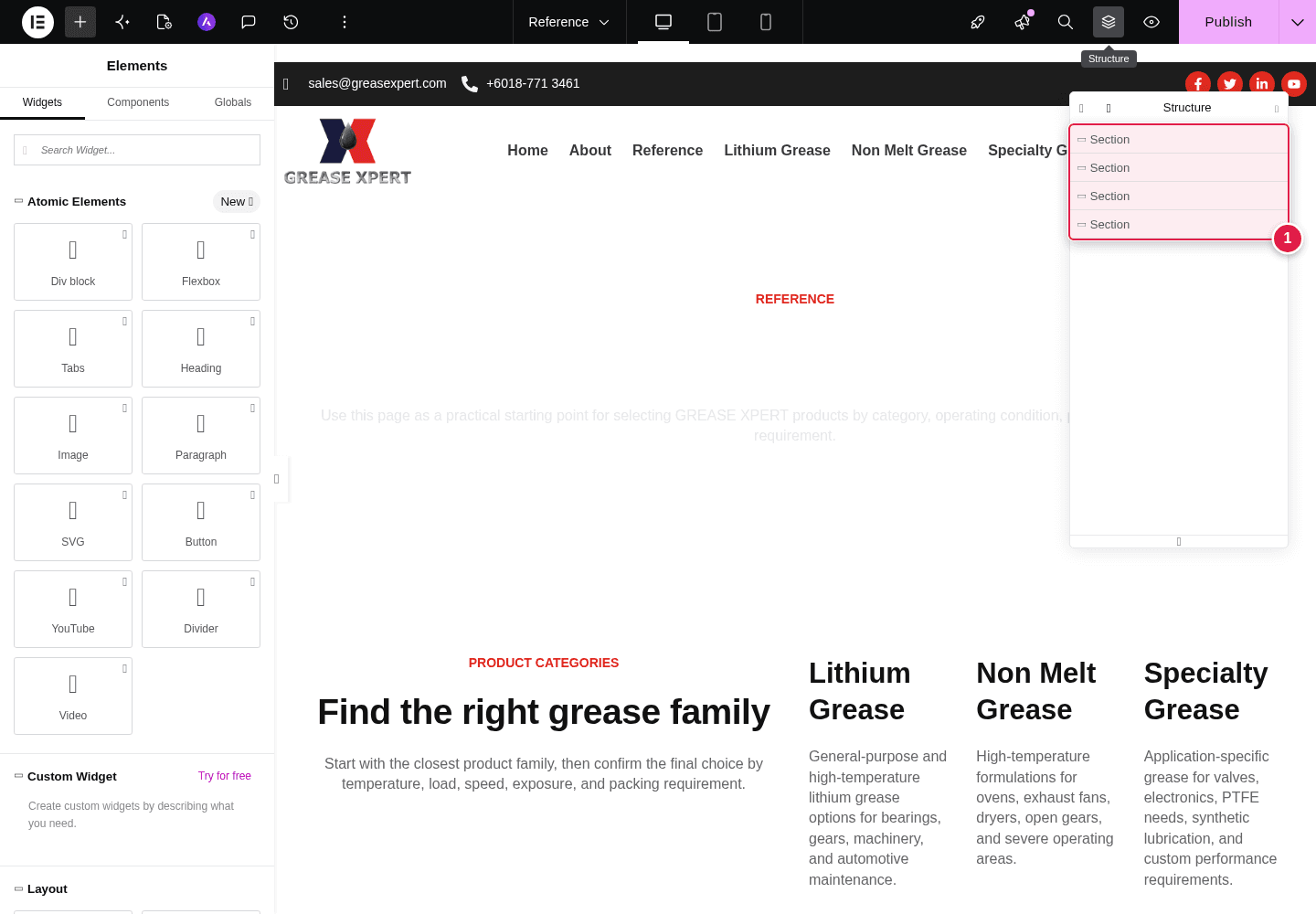
Figure four. The Structure panel in Elementor.
Guidebook captures real WordPress workflows and turns them into client-ready instructions.

Live workflow capture
Editing the homepage
Choose Structure in the top bar to see the page hierarchy and select the section you want to edit.
Figure four. The Structure panel in Elementor.
The workflow stays grounded in the website you actually built.
Describe what your client needs to manage.
Guidebook follows the real interface and records each step.
Review the instructions, correct figures and share the result.
Every instruction pairs plain language with evidence from the client’s own WordPress workspace.

Choose Add Element, find the right widget and place it in the page structure.
Temporary access stays inside your private workspace. The capture engine is built to document workflows without changing the client website.